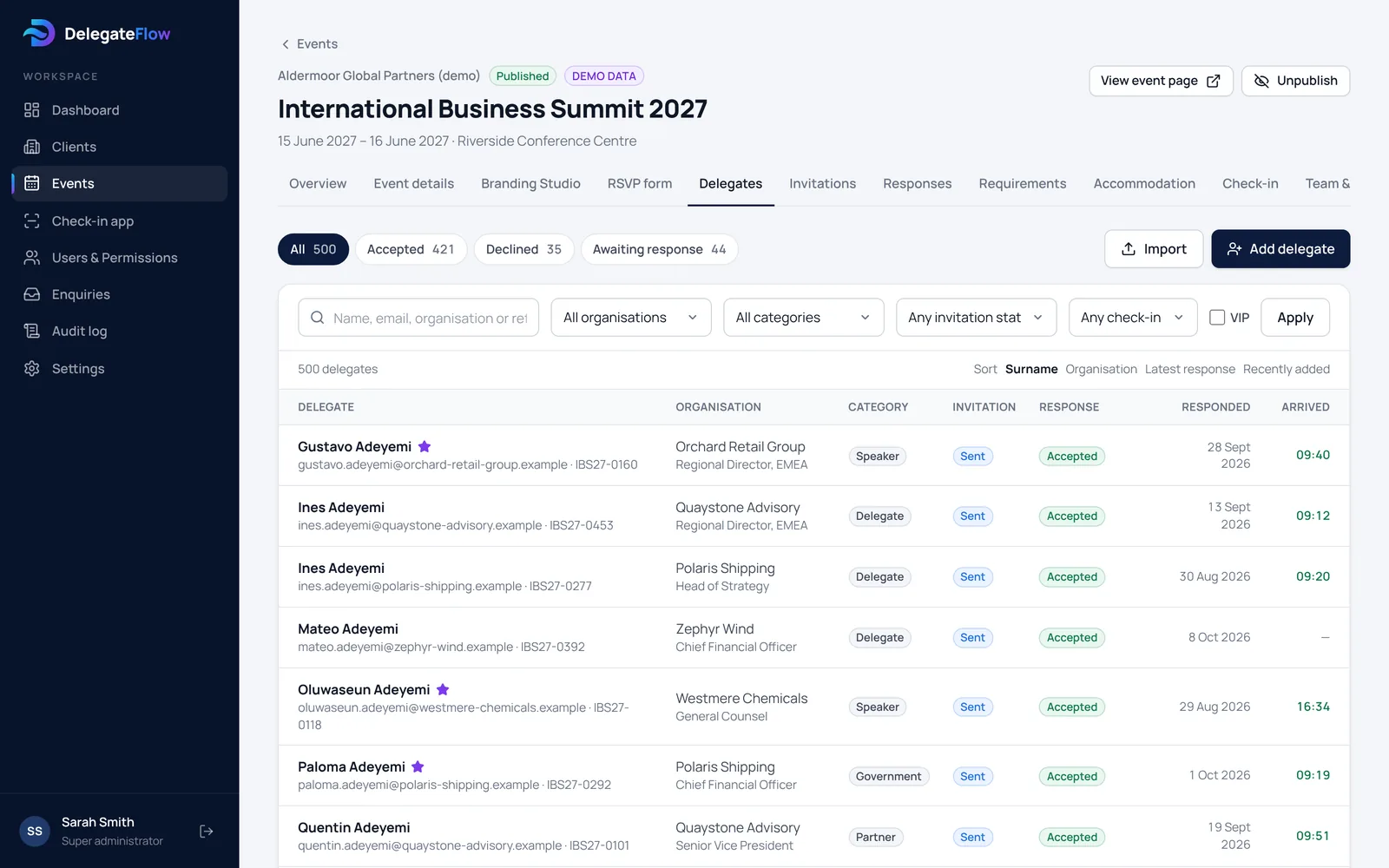
Built for conferences with an invited delegate list
Conference delegates are usually invited, not sold a ticket: clients, members, partners, speakers, sponsors and colleagues. DelegateFlow is built for that. Each delegate gets their own invitation and registration link, so you always know who has replied and nobody you didn’t invite can register.
Import your delegate list from a CSV or Excel file, check it before anything is saved, and sort delegates into categories such as delegate, speaker, sponsor and press. See how to create a delegate list for a conference.
- A personal registration link for each delegate
- Guest categories and VIPs
- No ticket fees or card payments
Conference registration on one short form
Delegates register on a branded page with your conference’s agenda, speakers, venue and travel details. One form collects everything you need: attendance, dietary and access needs, any guests they’re allowed to bring, and your own questions, such as which breakout sessions, workshops or dinners they’d like to join.
Replies feed straight into your delegate list, and you can send reminders to anyone who hasn’t replied. More about event registration and RSVPs.
- Session and workshop choices
- Dietary and access needs, with consent
- Questions of your own: dropdowns, multiple choice, text and dates
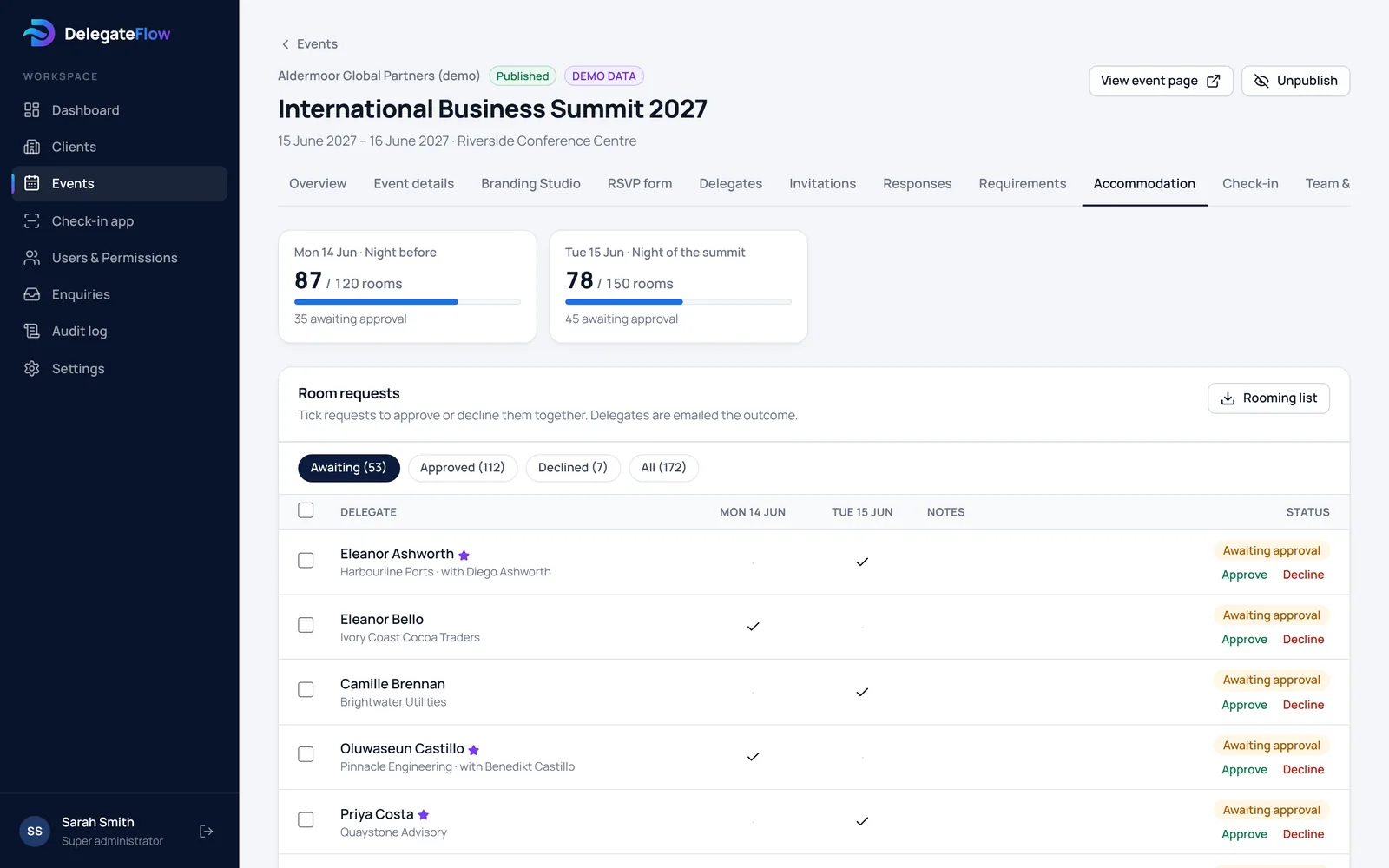
Hotel rooms for delegates
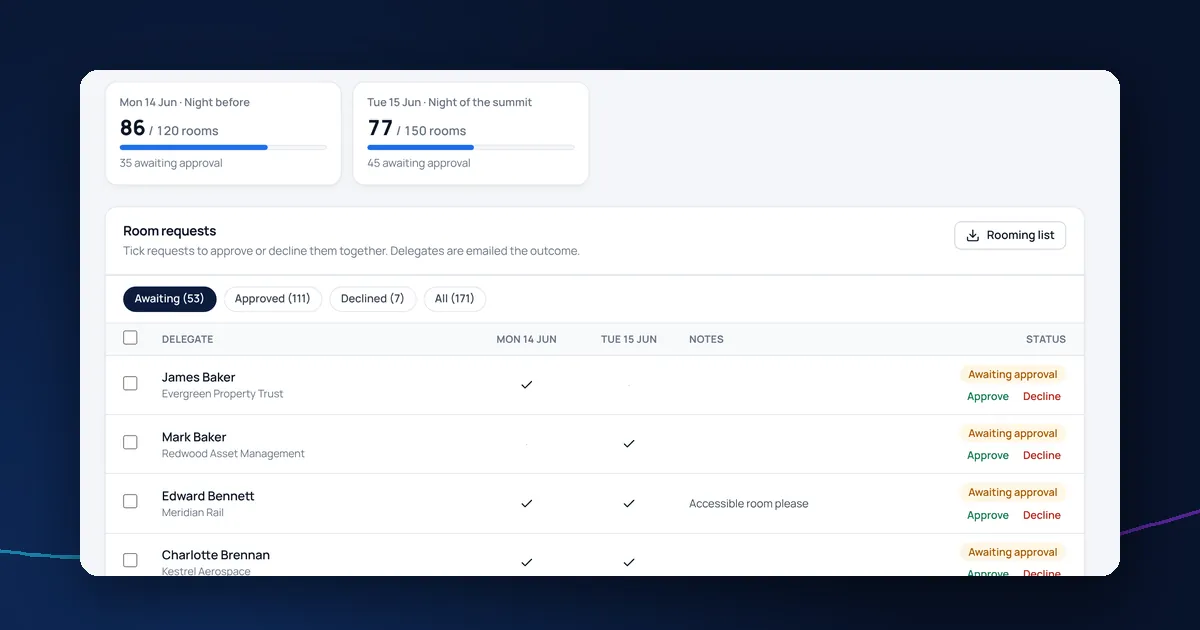
If you have a hotel room block, delegates choose the nights they need when they register. You set how many rooms are available each night, approve requests automatically or by hand, and send the hotel a rooming list when it’s time. More about conference accommodation and rooming lists.
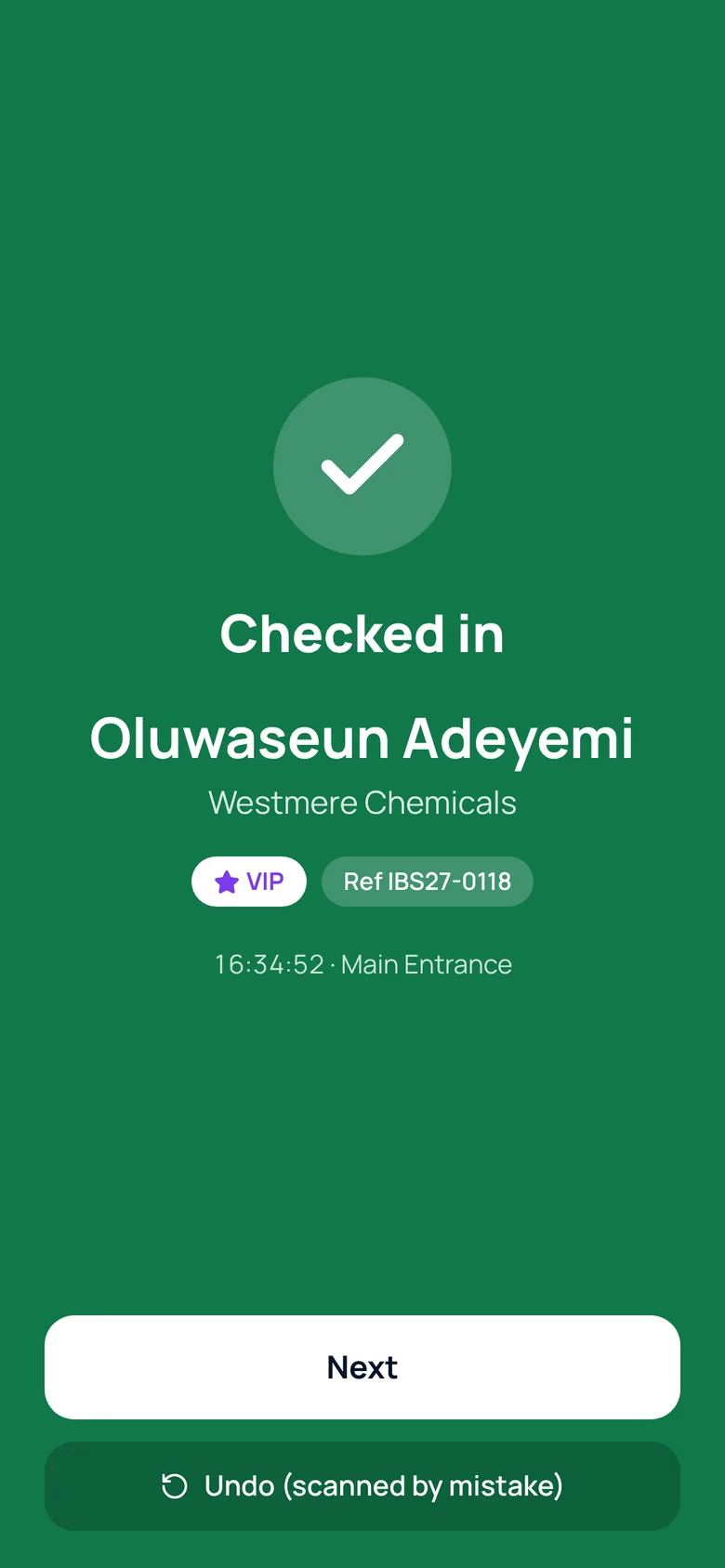
Fast delegate check-in on the day
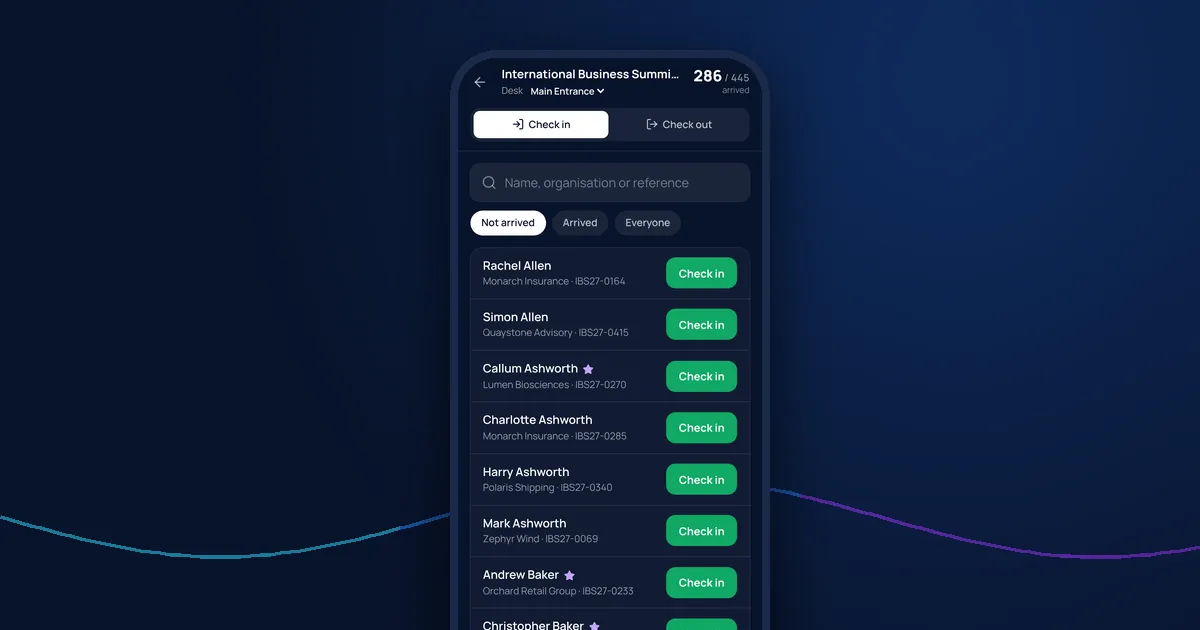
Every delegate who registers gets a QR code ticket by email, which they can keep in Apple Wallet or Google Wallet. On the day, your registration desk scans tickets on their own phones or searches by name, across as many entrances as you need. Download the delegate list beforehand for name badges.
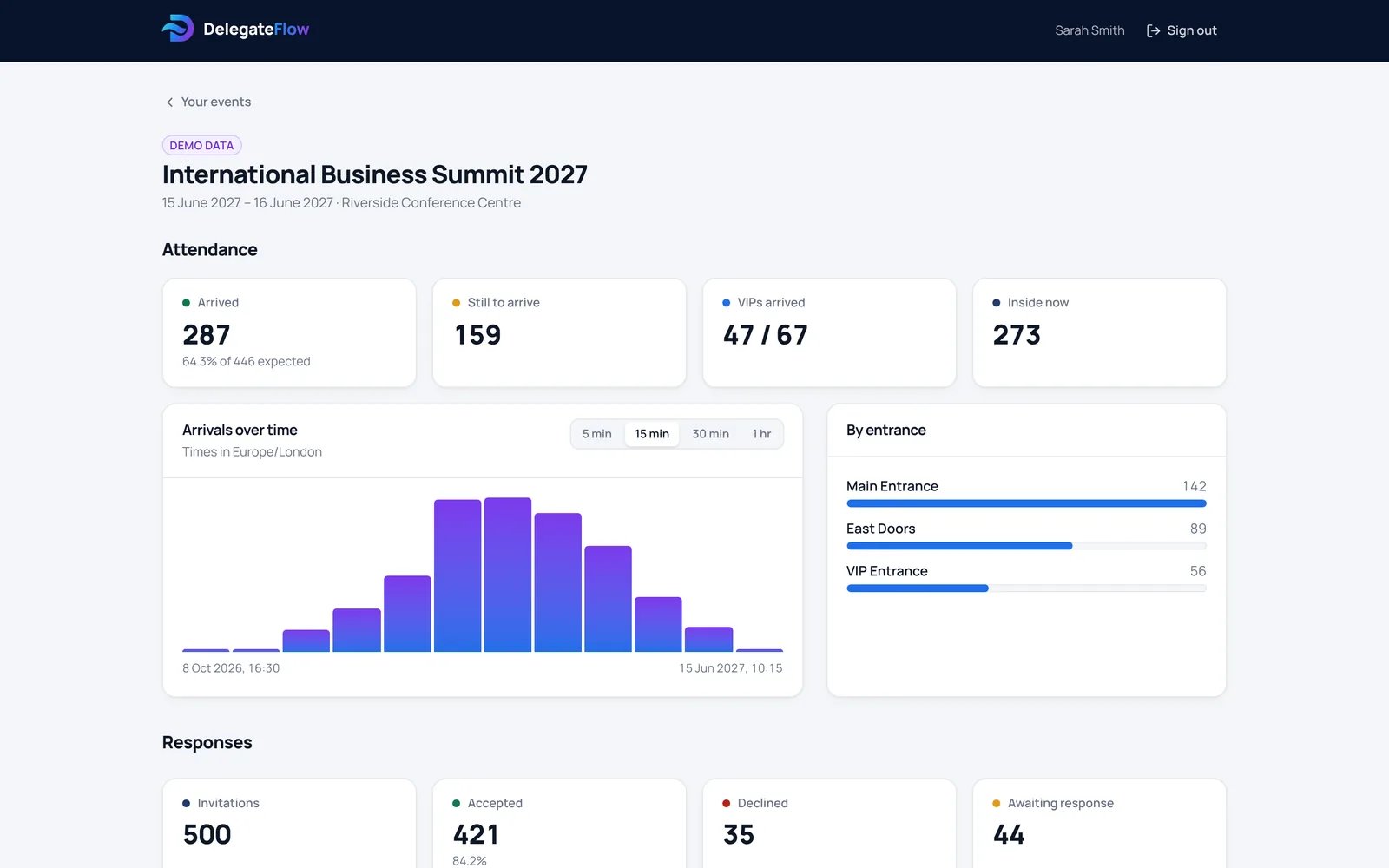
Arrivals update live for the whole team, so you can see who’s here, which VIPs are still to arrive and how numbers compare with registrations. More about the QR code check-in app and how to run an event registration desk.
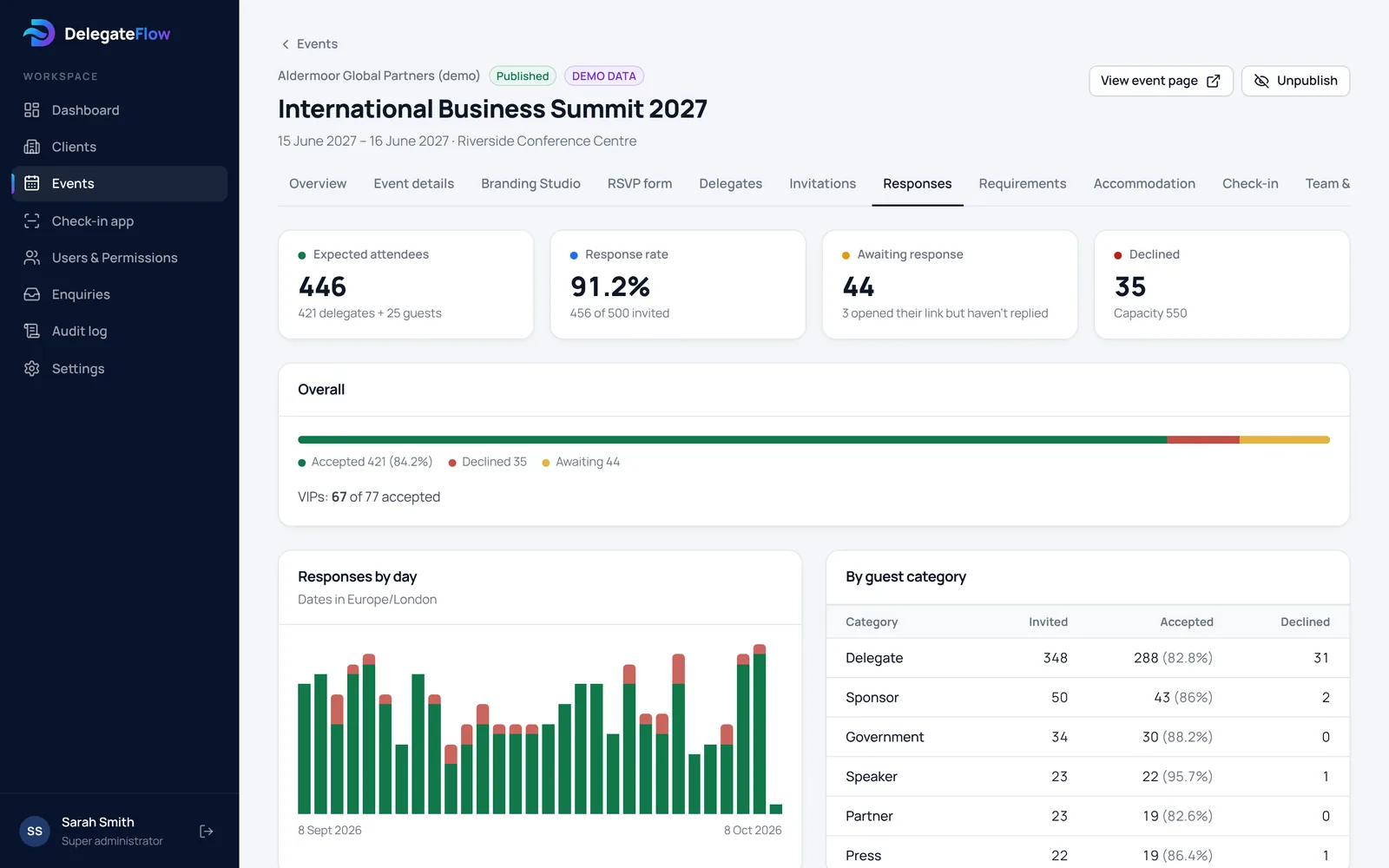
Attendance reports for organisers and sponsors
Colleagues and stakeholders get their own reports view: registrations as they come in, the delegate list, rooms and arrivals on the day. After the conference, download the attendance list to see who came and who didn’t, for follow-up, CPD records or your sponsors.
Delegate data, kept safe
Conference delegate lists hold names, employers and often health information. Dietary and access needs are kept separately and stay hidden until someone opens them, every export is recorded, and your team signs in with two-step verification. Read how DelegateFlow protects delegate data.
Common questions
Can delegates choose breakout sessions or workshops?
Yes. Add your own questions to the registration form, such as a choice of sessions, workshops or dinners, and the answers are included in your delegate list and downloads.
Can we run conference registration for a whole programme of events?
Yes. Each conference has its own delegate list, branding and settings, and you can duplicate an event to reuse its setup each year without copying any personal data.
How do delegates check in?
They show the QR code from their confirmation email or phone wallet, and the registration desk scans it in the browser on a phone or tablet. Staff can also search by name.
Can we print name badges?
Yes. Download the delegate list with names, organisations and categories, and use it with your badge printing software or a mail merge.
Does it sell conference tickets?
No. DelegateFlow is for invited delegates, so there are no ticket sales, booking fees or card payments. If your conference is open to the public and paid for, a ticketing site is a better fit.
Can someone run it for us?
Yes. You can run conferences in DelegateFlow yourselves, or have the delegate management run for you while you follow progress in your reports view. See pricing.
Guides for event organisers
All guides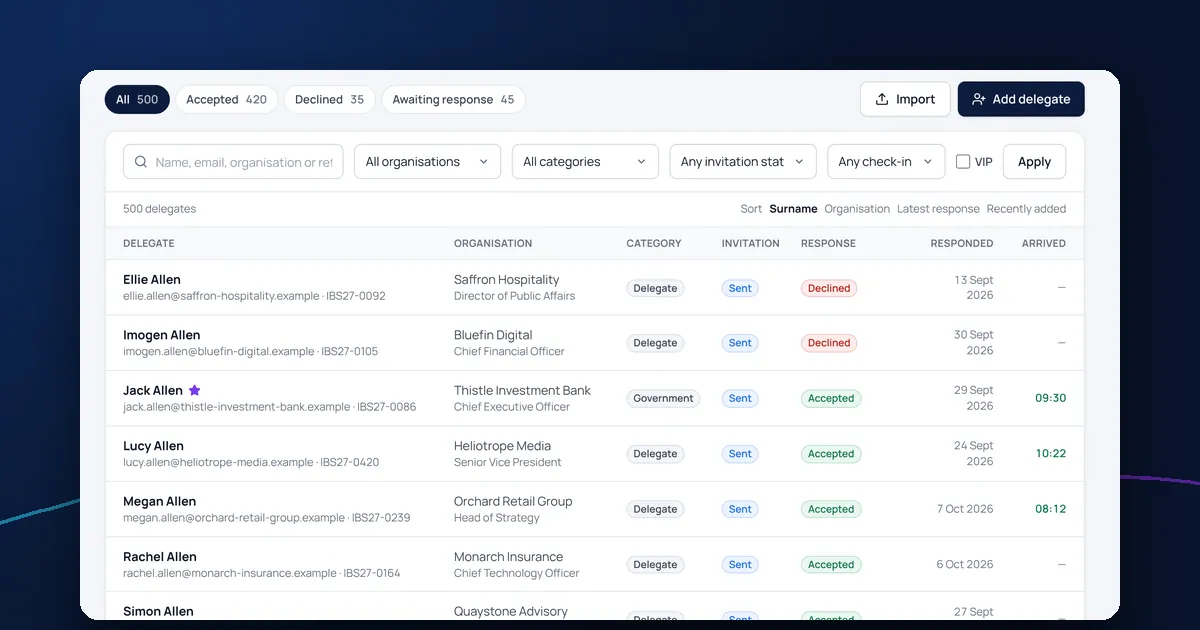
Guest lists
How to create and manage a delegate list for a conference
How to build a clean conference delegate list: what to record, how to import it without errors, and how to keep it accurate up to the day.
7 min read
On the day
How to run a smooth event registration desk
How to plan and run an event registration desk: staffing, layout, briefing your door team, handling problems and avoiding queues at corporate events.
6 min read
Accommodation
How to manage hotel room blocks and rooming lists for events
How to manage an event hotel room block: collecting room requests from delegates, approving them, tracking your allocation and sending the hotel a rooming list.
7 min read
See it with your next event.
We’ll walk you through an event from invitation to arrival, and show you how it would work for yours.