No equipment to hire
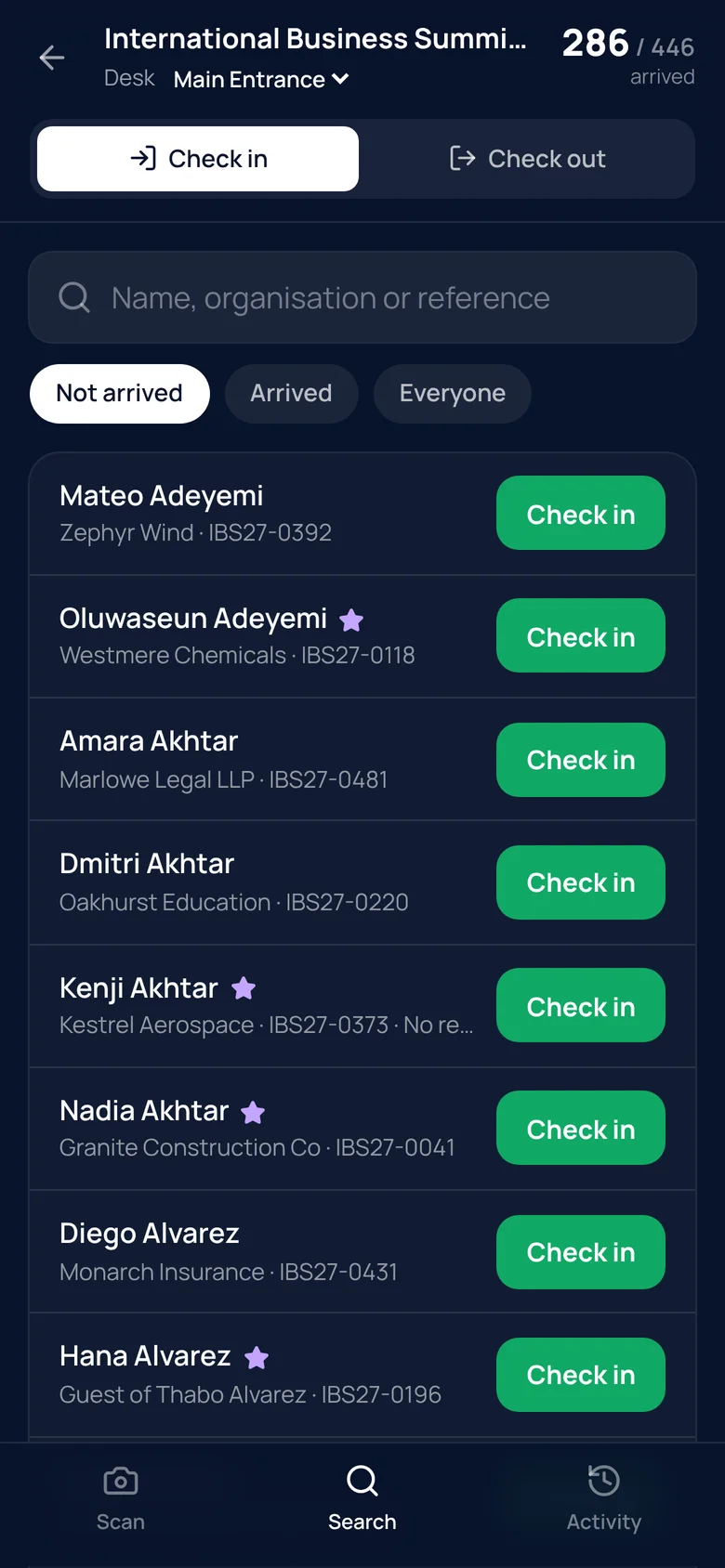
The check-in app runs in the browser on a phone or tablet with a camera, and can be added to the home screen like an app. Door staff sign in, choose their entrance and start scanning. Anyone without a ticket to hand can be found by name, organisation or reference.
Results nobody can misread
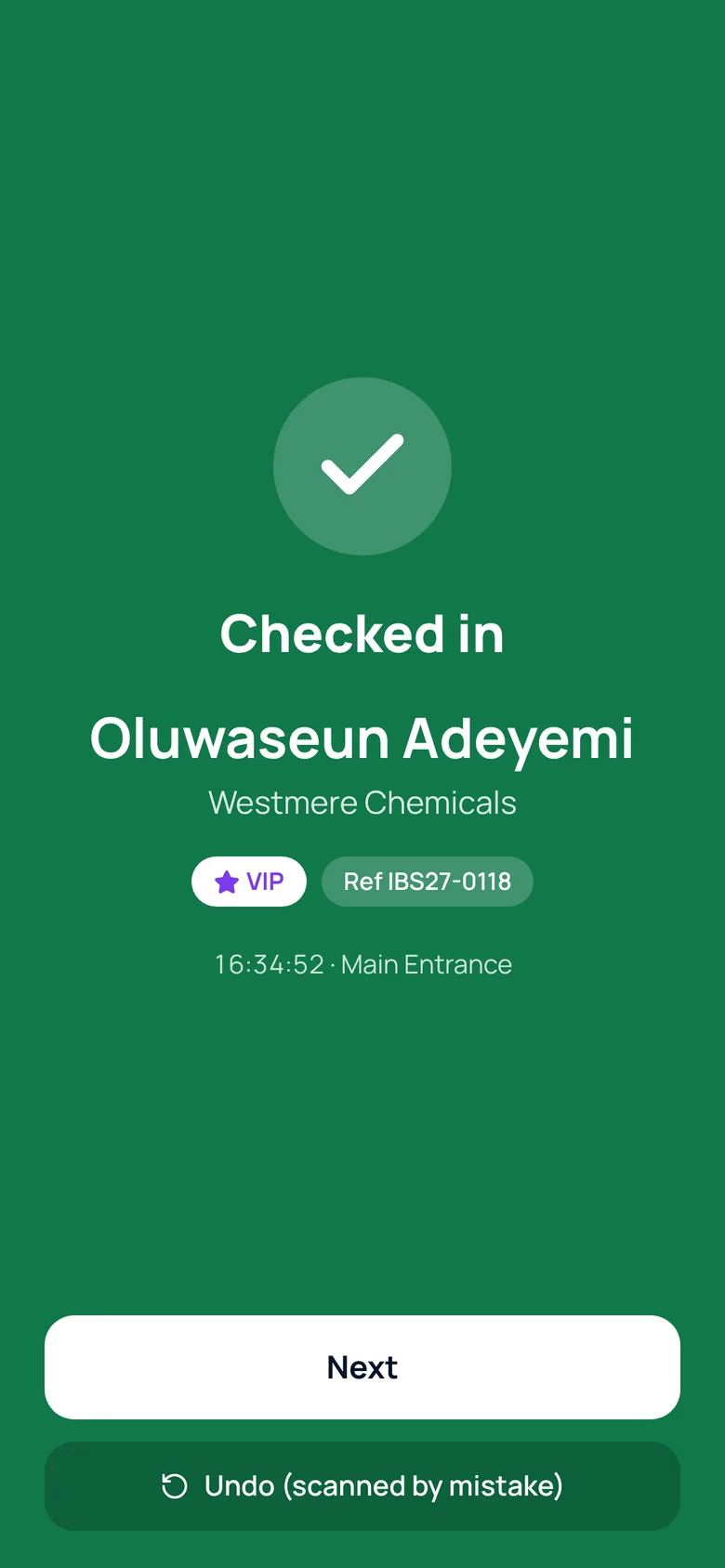
A full green screen means checked in. Amber means they’ve already arrived — with the time they first came in. Red means the ticket isn’t valid for this event. VIPs, guests and anyone who hadn’t replied are clearly marked.
If two people scan the same ticket at the same moment, only one arrival is recorded. A mistaken scan can be undone, and the original is kept in the history.
- Green, amber and red results
- Safe against double scanning
- Undo without losing the history
Several entrances, check-out and re-entry
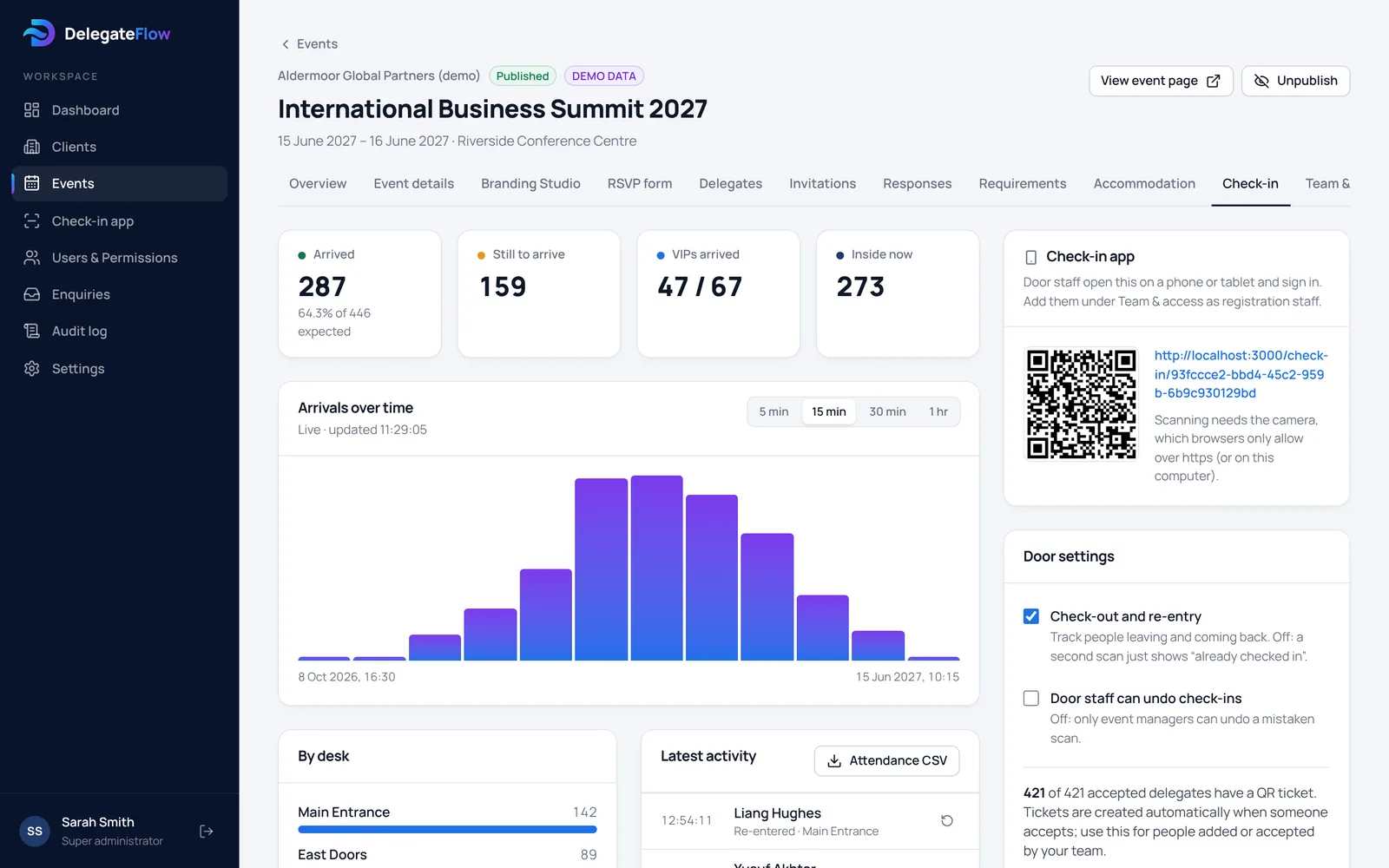
Set up a desk for each entrance — main entrance, VIP entrance, east doors — and see how busy each one is. Switch on check-out and re-entry to know who’s in the building at any time.
Live arrivals for the whole team
Arrivals over time, by entrance, VIPs still to arrive and who’s inside now, updating live in the dashboard and in colleagues’ reports view. Download the full attendance log afterwards.
Door staff see only what they need
The check-in app shows names, organisations, references and arrival status. Door staff never see email addresses, phone numbers or dietary and access requirements, and only have access to the events they’re working on, around the day of the event.
Common questions
What do door staff need?
A phone or tablet with a camera, an up-to-date web browser and an internet connection. They sign in with their own account.
What happens if the connection drops?
The app shows a clear warning and asks staff to scan again once the connection is back. Scanning the same ticket twice never records a second arrival.
Can someone be checked in without their ticket?
Yes. Search by name, organisation or reference and check them in with one tap.
Can a mistaken check-in be undone?
Yes. Undoing a check-in adds a correction to the history rather than deleting anything. You decide whether door staff can undo, or only event managers.
More of what DelegateFlow does
See it with your next event.
We’ll walk you through an event from invitation to arrival, and show you how it would work for yours.