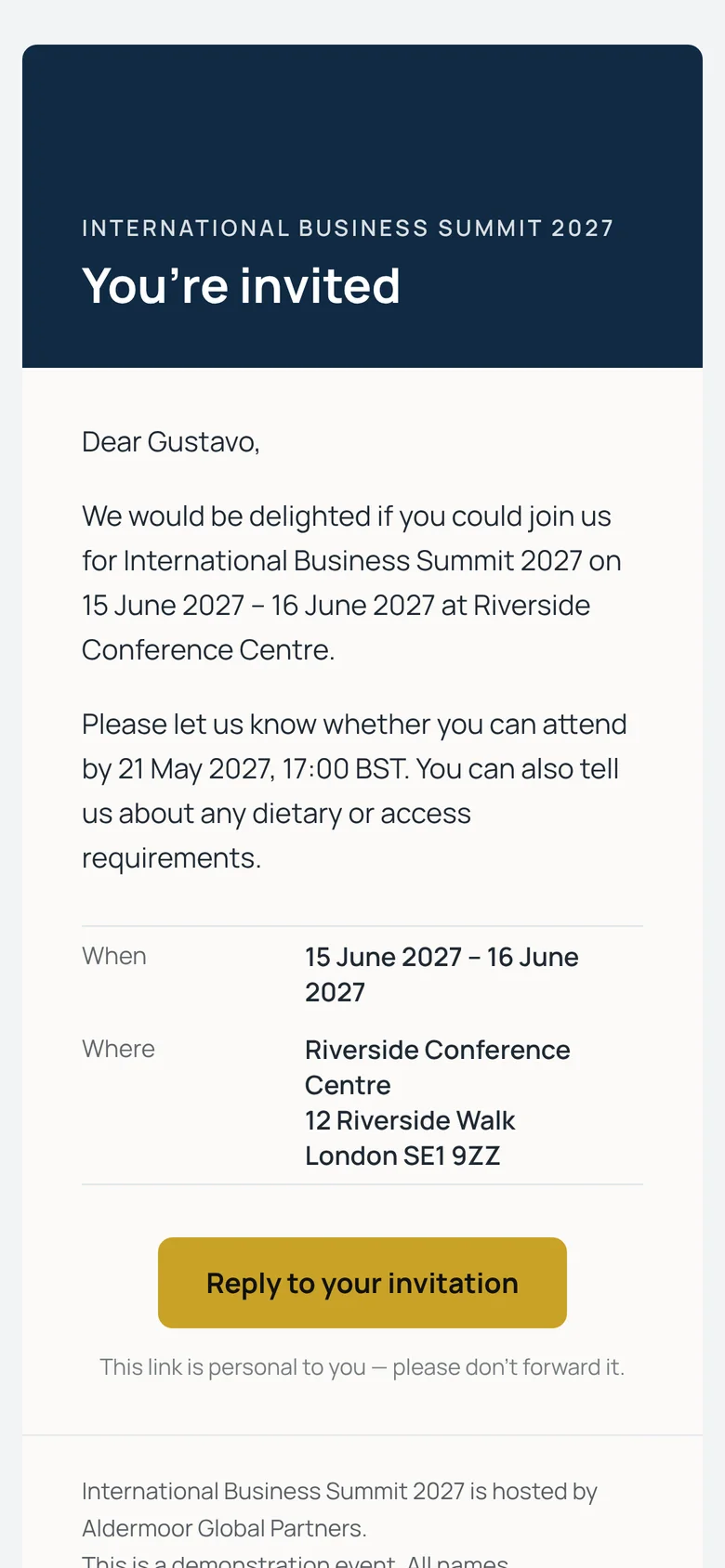
Invitations in your branding
Each guest receives a personal invitation email with your logo and colours and a button that takes them straight to their reply form. Templates for invitations, reminders, confirmations and updates are editable, with merge fields for names, dates and the venue, and you can send yourself a test before anything goes out.
Send to everyone at once, to people who haven’t replied yet, or to a single guest — straight away or scheduled for a date and time you choose.
- Editable templates with a live preview
- Scheduled sends and reminders
- Bounces and failed deliveries flagged on the guest list
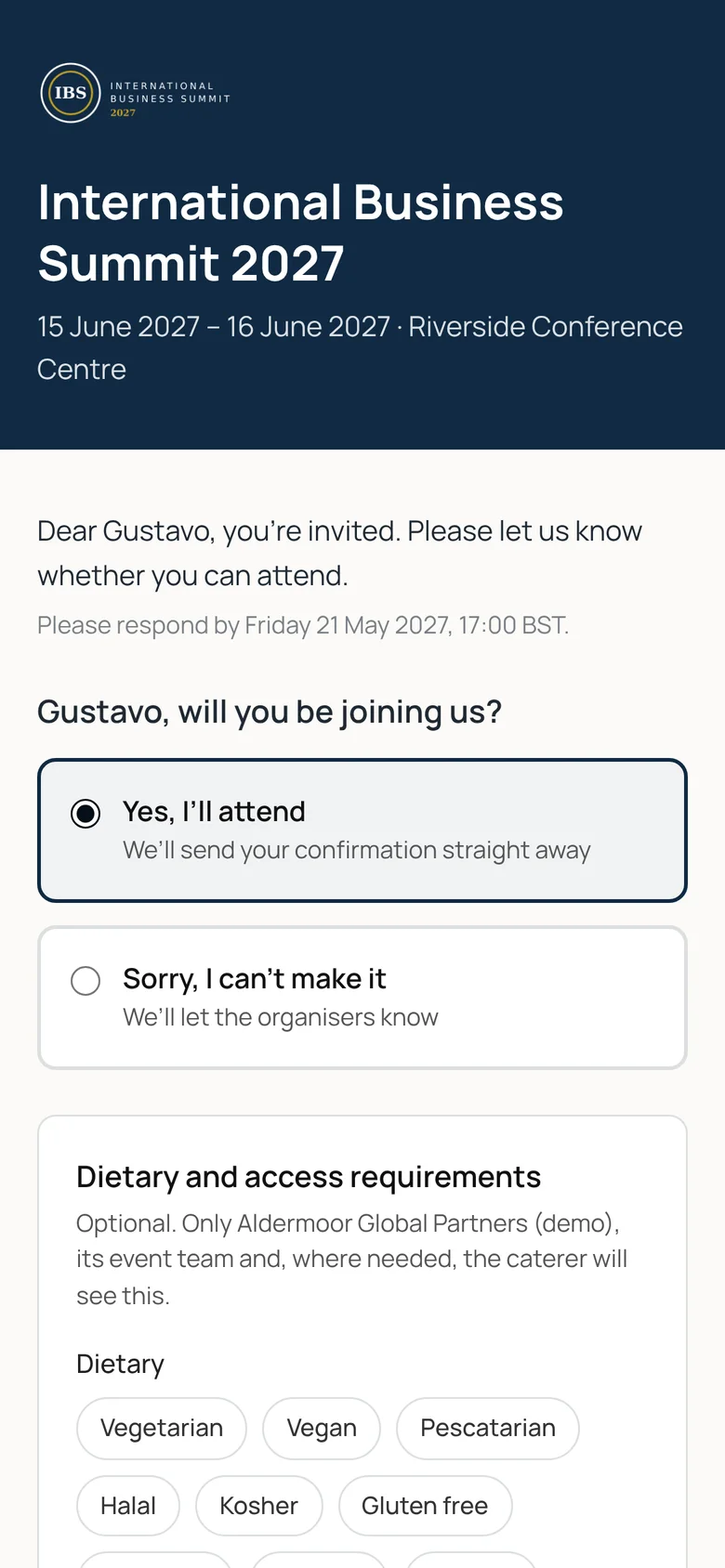
A reply form that takes a minute
Guests say whether they’re coming, add the names of anyone they’re bringing (up to the number you allow), and tell you about dietary and access needs. If you’re offering accommodation, they choose their nights on the same form.
Add your own questions — a session choice, a transfer, a meal — including questions that only appear after a particular answer. Guests can change their reply until your deadline if you allow it.
- Guests and plus-ones by name
- Dietary and access needs, with an optional consent tick
- Your own and conditional questions
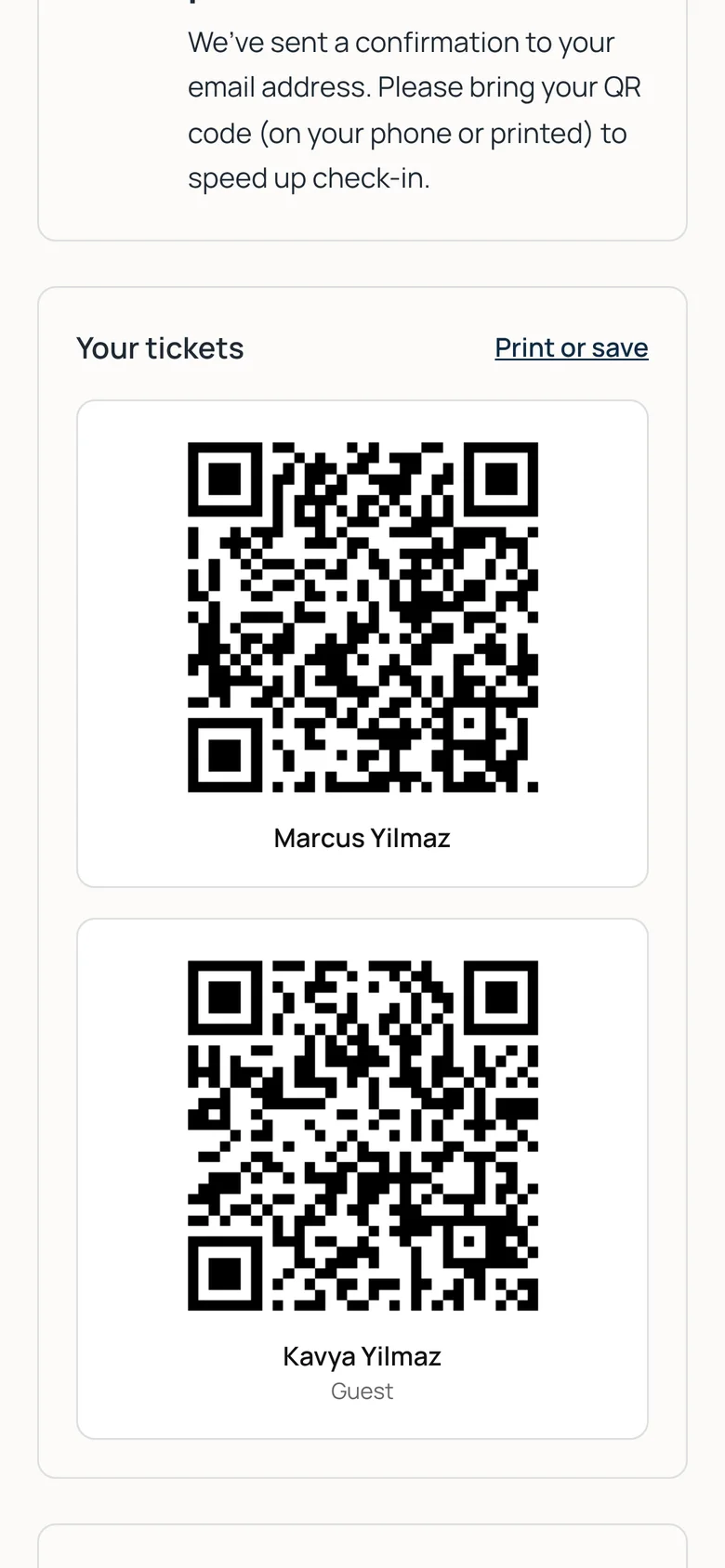
Confirmation and QR tickets straight away
When a guest accepts, they see a confirmation page with a QR ticket for themselves and each of their guests, can print or save them, and add the event to their calendar. The same tickets arrive in their confirmation email.
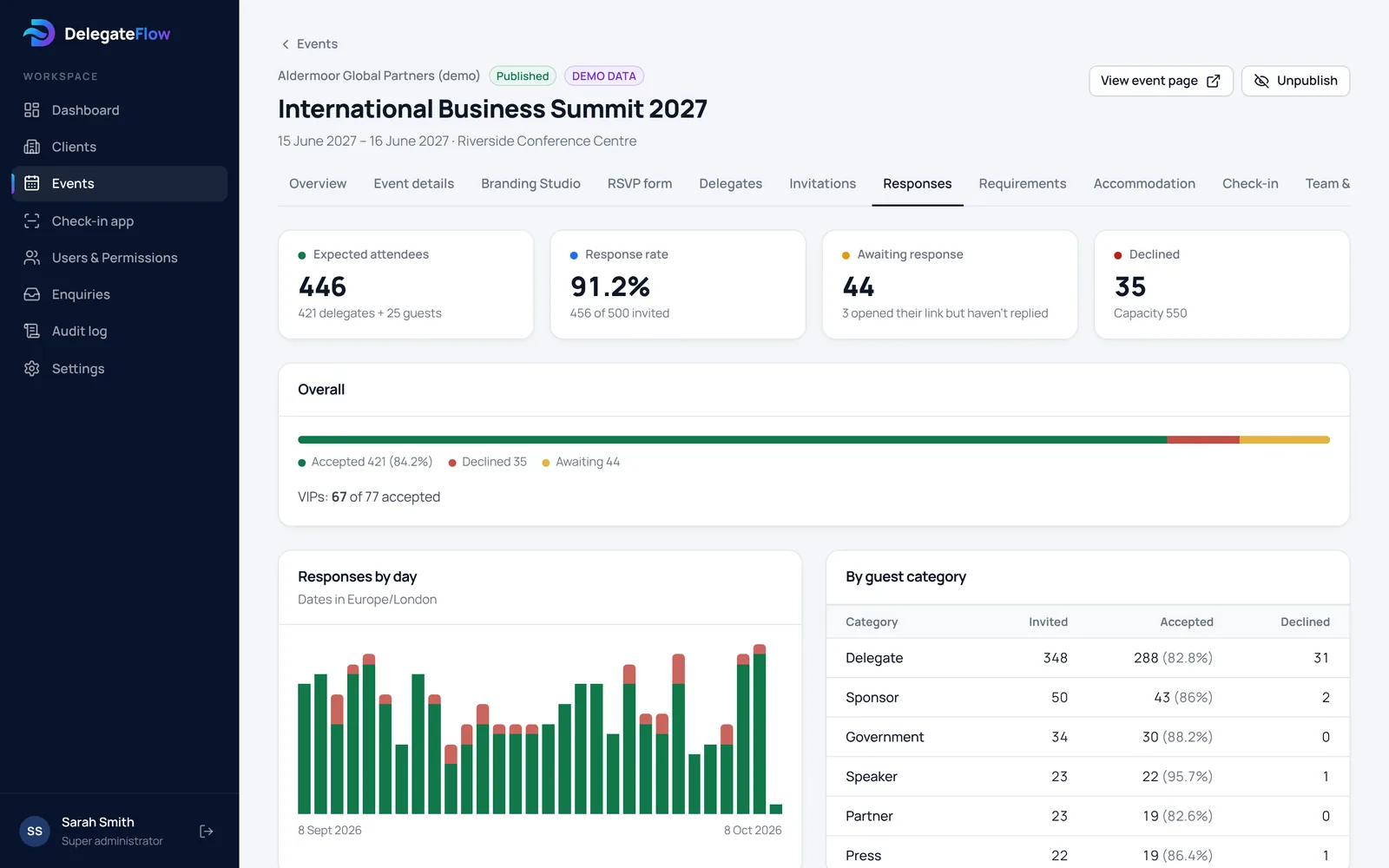
Every reply, as it happens
See accepted, declined and awaiting at a glance, the number of guests expected including plus-ones, replies by day and by guest category, and who has opened their reply link but not yet replied — so your reminders go to the right people.
Personal links that can’t be passed around unnoticed
Each guest has their own long, random link. If one is forwarded by mistake, you can replace it and the old link stops working straight away. Links aren’t indexed by search engines and don’t send their address to other websites.
Common questions
Do guests need an account or an app?
No. Guests reply from the link in their email, in any web browser, without creating an account.
Can guests change their reply?
Yes, until the deadline you set, if you allow changes for the event. You can switch this off, and your team can always update a reply for them.
Can we ask our own questions?
Yes: short or long answers, dropdowns, multiple choice, tick boxes, dates and numbers. A question can be set to appear only after a particular answer to another question.
Who do the emails come from?
Emails show your event’s name as the sender and come from DelegateFlow’s verified sending address, so they’re less likely to be marked as spam.
Can guests bring someone with them?
Yes. You set how many guests each person may bring. Each guest gets their own QR ticket.
More of what DelegateFlow does
See it with your next event.
We’ll walk you through an event from invitation to arrival, and show you how it would work for yours.