Import guest lists without the clean-up
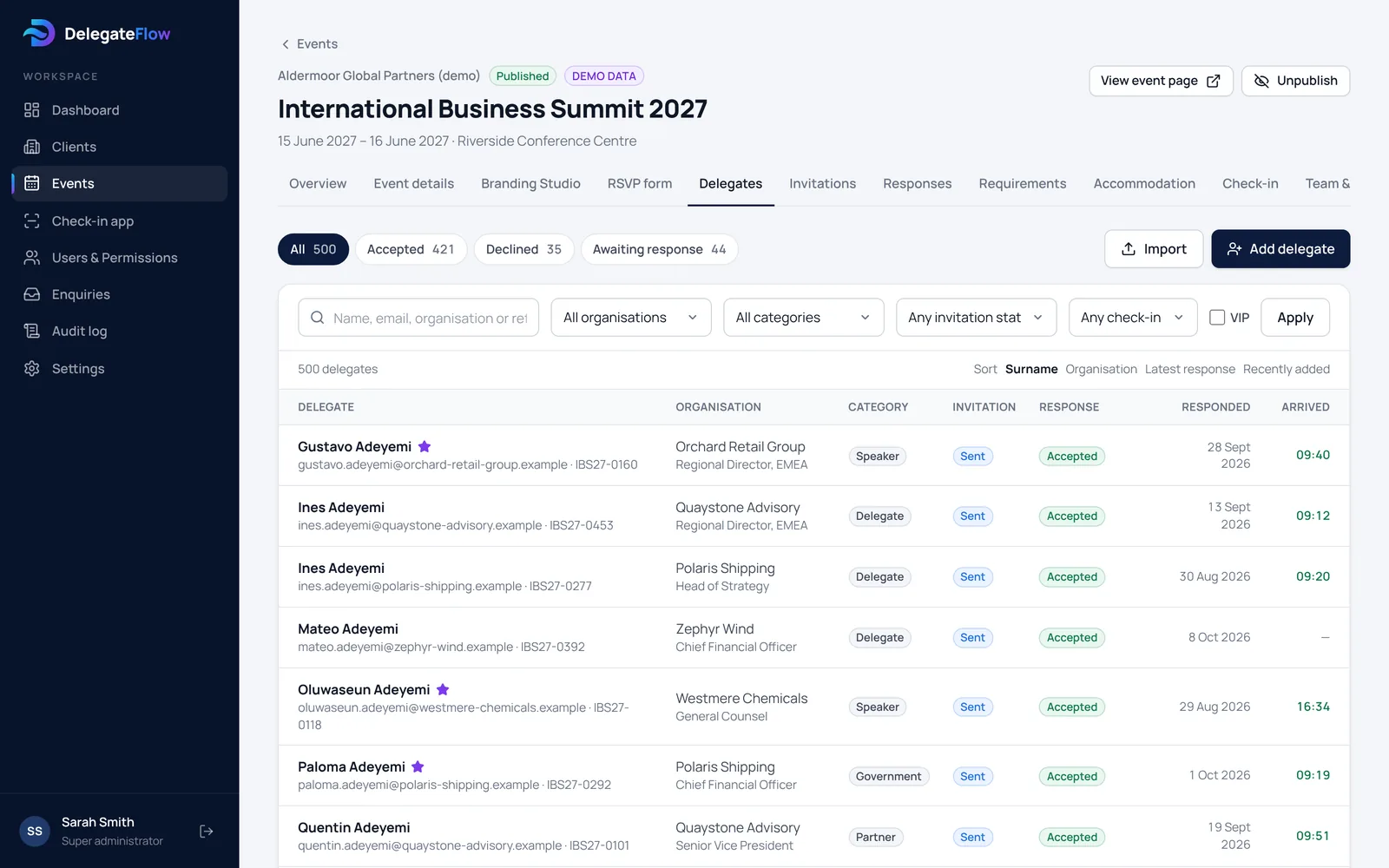
Upload a CSV or Excel file and match its columns to DelegateFlow’s fields. Each row is checked before anything is saved: missing names, invalid email addresses and duplicates are flagged, and existing delegates are only updated if you choose to. You’ll see exactly what will be added and changed, and can download a list of the rows that need fixing.
- CSV and Excel files
- Duplicate detection by email address
- A review step before anything changes
One record for each delegate
Search and filter by reply, organisation, guest category, VIP status, invitation status and arrival. Each delegate’s page shows their guests, invitation link, emails sent, accommodation request and check-in history.
Dietary and access requirements are kept separately from the main record and stay hidden until someone chooses to open them.
The right access for each person
Give each person the role they need for each event: event managers who run it, colleagues with a reports-only view, and door staff who only see the check-in list. Event managers and colleagues with a reports view sign in with two-step verification.
- Event manager, reports-only and door staff roles
- Access set event by event
- A record of sign-ins, exports and changes
Live figures for everyone who needs them
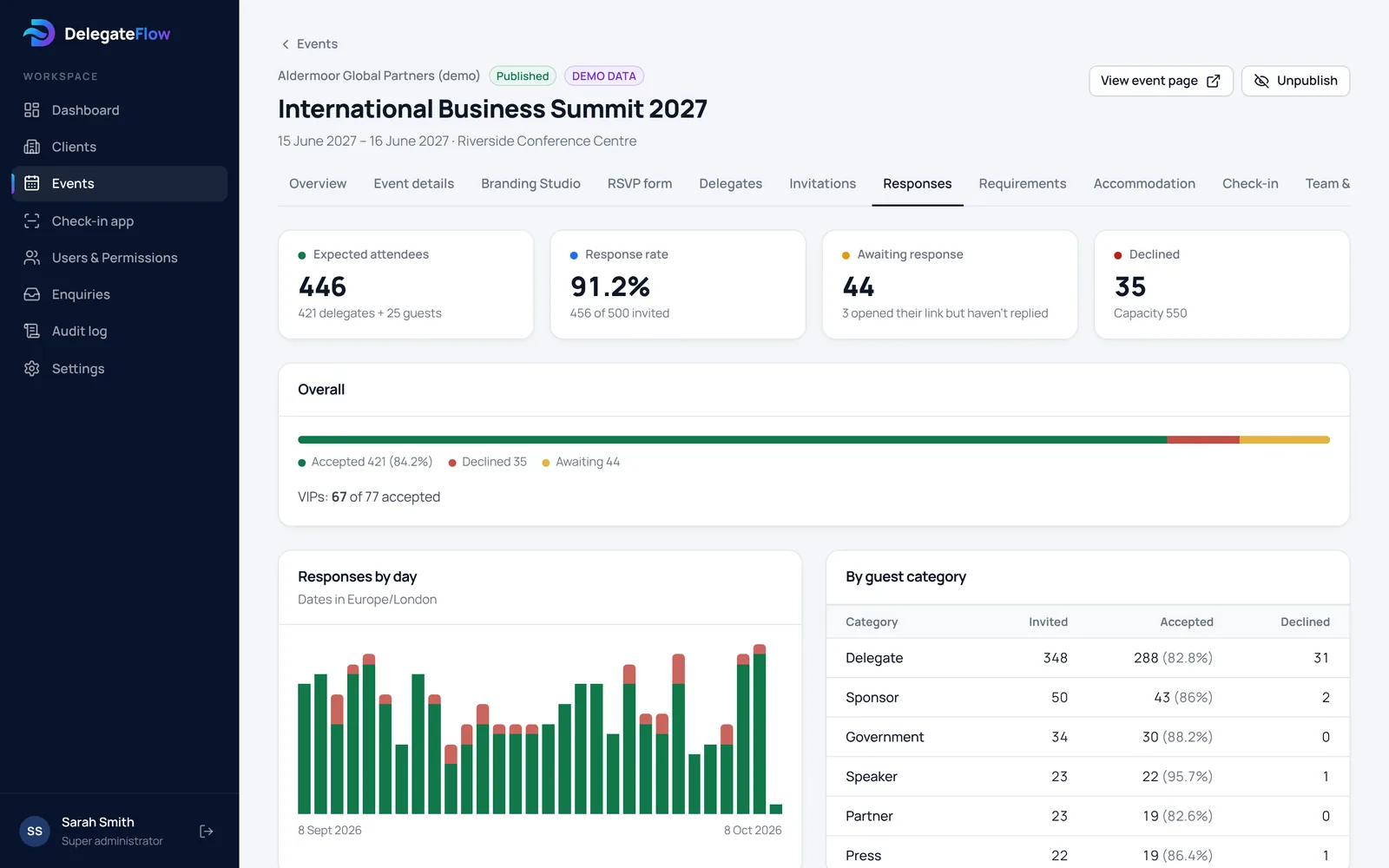
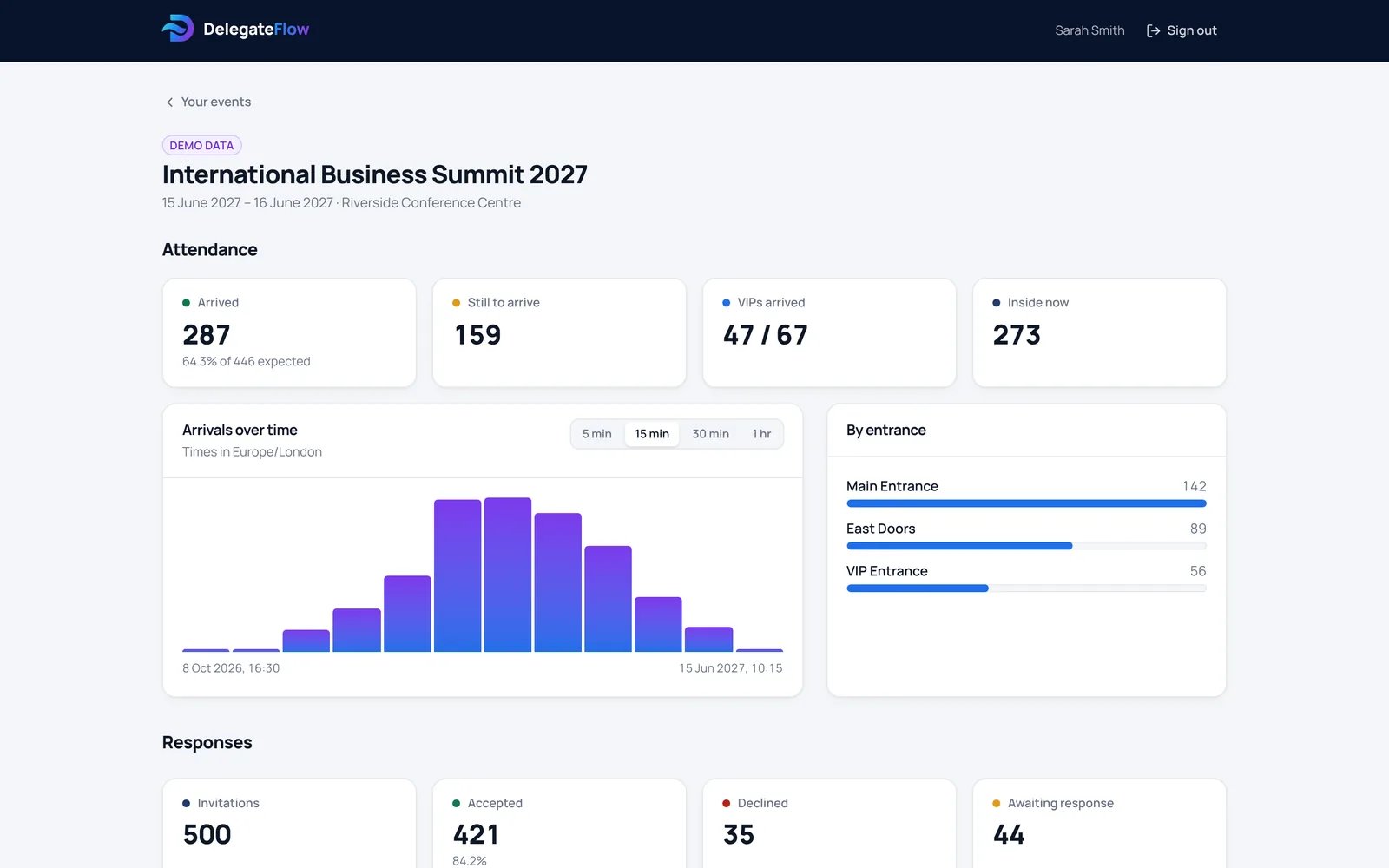
Colleagues and stakeholders with a reports view can follow replies, the guest list, rooms and arrivals as they happen, without being sent spreadsheets. You choose whether they see the guest list and individual requirements.
Run the next one faster
Duplicate an event to reuse its settings, branding, page and questions for next year — without copying any delegates, replies or requirements.
Common questions
What file types can we import?
CSV and Excel (.xlsx) files. You match the columns to fields during the import, so your spreadsheet doesn’t need a particular layout.
What happens to duplicates?
Rows with an email address already on the list are flagged. Existing delegates are only updated if you choose to update them.
Can colleagues see the list without being able to change it?
Yes. A reports-only view shows replies, attendance and, if you allow it, the guest list — with no ability to edit or send anything.
Can we reuse an event for next year?
Yes. Duplicating an event copies its settings, branding, page and questions, but none of the personal data.
More of what DelegateFlow does
See it with your next event.
We’ll walk you through an event from invitation to arrival, and show you how it would work for yours.