QR code check-in has replaced the printed list and highlighter at most corporate events. Done well, it gets guests through the door in seconds and gives you accurate arrival numbers. Here's how it works and how to set it up.
How it works
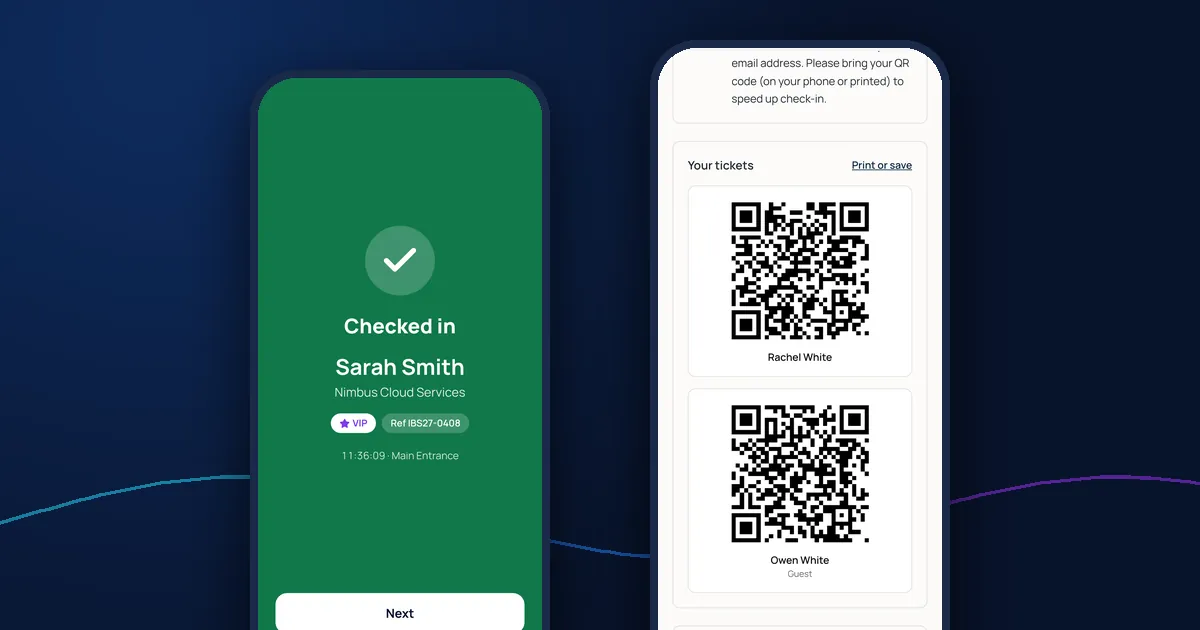
- Each guest who accepts receives a unique QR code, usually in their confirmation email and on their confirmation page
- On the day, door staff scan the code with a phone or tablet
- The app shows straight away whether the guest is in, already arrived or not on the list
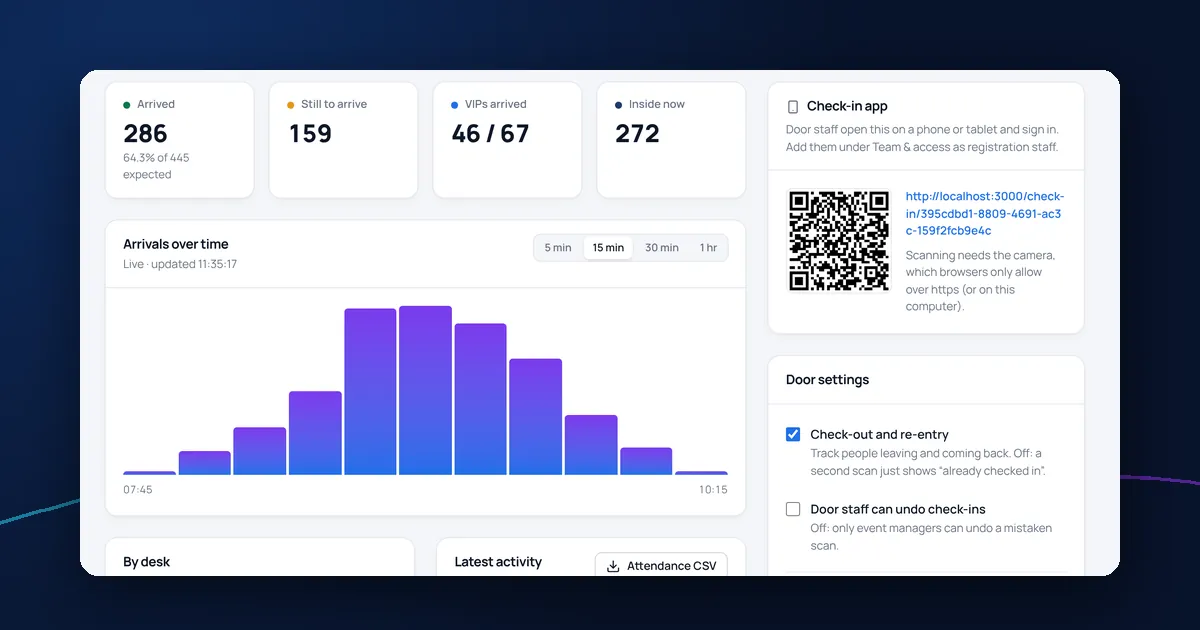
- Arrivals are recorded with the time and entrance, and totals update live
What door staff need
With a browser-based check-in app, a phone or tablet with a camera and a reliable internet connection is enough: no scanners to hire. Test the venue's Wi-Fi or mobile signal at the entrance beforehand, and have a charger at each desk.
Results nobody can misread
At a busy door, staff glance at the screen for a second. The result should be unmistakable: a full green screen for checked in, a different colour for already arrived, and another for a ticket that isn't valid.
Guests without their ticket
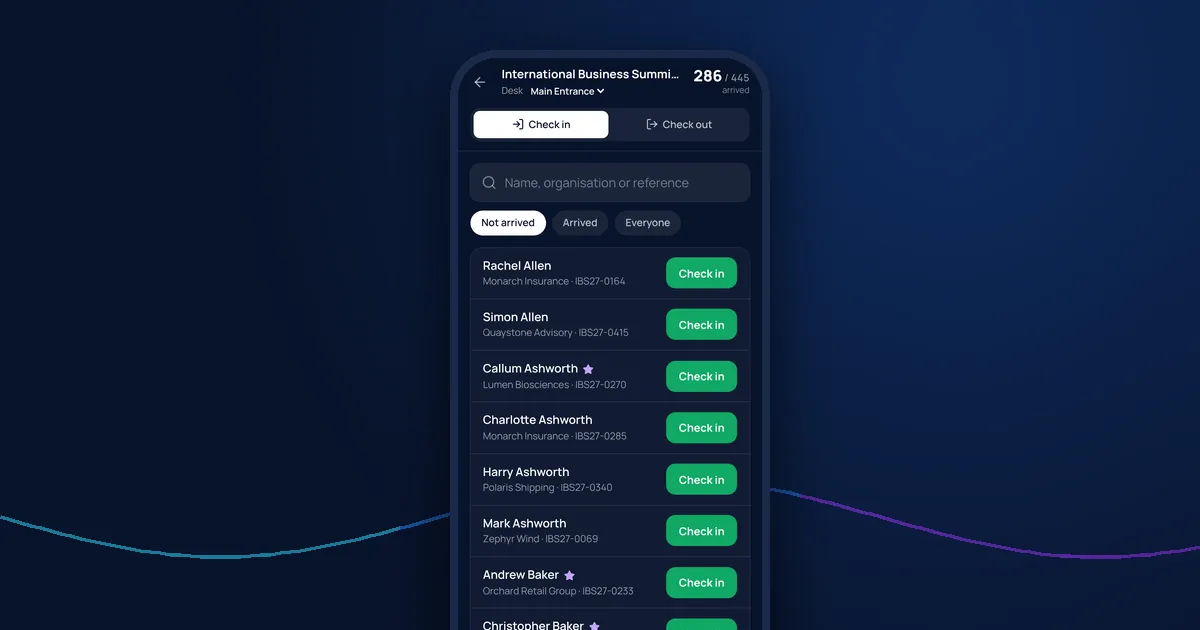
Some guests will always arrive without their QR code. Make sure staff can search by name, organisation or booking reference and check someone in with one tap.
Plus-ones and VIPs
Give each guest their own ticket, so plus-ones can arrive separately. Flag VIPs on screen so the team can greet them properly.
Mistakes and double scans
If two staff scan the same ticket at the same moment, only one arrival should be recorded. If someone is checked in by mistake, staff should be able to undo it without losing the record of what happened.
For more on running the door, see our guide to running an event registration desk.
Check-in with DelegateFlow
DelegateFlow's QR code check-in app runs in the browser on any phone or tablet with a camera. It shows green, amber and red results, lets staff search by name, organisation or reference, records each arrival once even if scanned twice, and supports several entrances, check-out and re-entry. Tickets are issued automatically when guests accept on the reply form.